
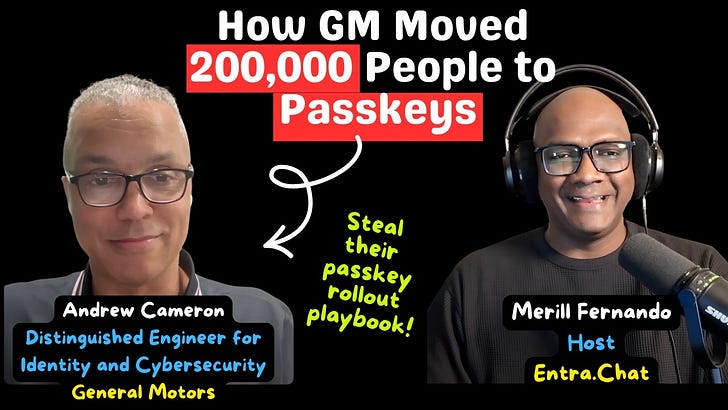
How General Motors Moved 200,000 People to Passkeys
Show notes
Microsoft starts making passkeys the default in Microsoft Entra ID on 1 September 2026, and retires Microsoft-provided SMS and voice MFA on 1 February 2027. Every organisation with a large, messy population now has to answer a question that has nothing to do with passkey technology itself: how do you move a hundred thousand real people - office workers, factory floors, call centres and guests - without locking someone out?
In this episode, Merill sits down with the person who has already done it. Andrew Cameron is a Distinguished Engineer for Identity and Cybersecurity at General Motors, and he has spent roughly 25 years there, long enough to have started on the employee portal as a web architect in 2000, and then helped build the identity function that now carries one of the world’s largest passwordless deployments.
The single biggest lever, Andrew says, was almost embarrassingly simple. GM treated Windows Hello as an optional convenience for years, then realised that an already-managed Windows device is a passkey. About 100,000 people were enabled through Windows Hello alone - no roaming key, no phone, no authenticator juggling. Platform SSO now extends the same idea to Mac through the secure enclave.
The sequence matters as much as the tools. Admin roles came first, required to carry a device-bound passkey with Azure PIM forcing the stronger method through activation. Then Conditional Access did the rollout: a small group of eager users, audit mode, and then add apps and expand outward. Andrew’s practical tip is to target the big, heavily used apps before chasing every user - it often gets you to 80% coverage faster.
Then the conversation turns to the corners most passkey explainers skip. Manufacturing workers who cannot use a phone and do not have a keyboard. Guest accounts - suppliers, dealerships and contractors - whose source tenant must also enable passkeys before the journey can complete. Call-centre users on unmanaged devices. And VDI, where certificate auth or Azure Virtual Desktop fills the gap.
Andrew also walks through the synced-versus-device-bound decision, and lands on the unglamorous first step of the whole thing: before you retire anything, know which authentication methods are actually in use.
If your plan for the SMS/voice deprecation is “we’ll deal with it in February,” consider this episode your head start.
What caught GM’s identity team by surprise
Andrew was candid about the corners that bit them - the ones most admins only discover after the weak method is already gone:
* SMS was the onboarding bootstrap. A new starter was never expected to have a passkey, so onboarding simply defaulted to an SMS code. Remove SMS and you have also removed the way people got in on day one. GM’s fix: issue a Temporary Access Pass (TAP) for onboarding, then register a strong method immediately.
* A new phone defaulted to SMS again. The “I just got a new phone” recovery path sent a code to the number by default. That whole flow had to be redesigned too, not just the sign-in policy.
* Guests were the hard problem. Several hundred thousand suppliers, dealerships and contractors can only finish a passkey sign-in if their own source tenant has also enabled passkeys. Enforce on your side and a guest can still get blocked upstream through no fault of yours.
* Factory floors have no phones and no keyboards. Manufacturing workers could not use a phone or type a password, so GM built custom non-password methods and used hardware keys for robots and other physical assets.
* Call-centre users are not on managed devices. Tens of thousands of users were remote or unmanaged, so GM folded device posture and network location into the risk evaluation.
* VDI was a fresh corner. Certificate auth and Azure Virtual Desktop SSO replaced SMS as the way into a virtual desktop.
* Hardware-key attestation had to be unwound. GM had registered AAGUIDs for hardware keys; when synced passkeys arrived, those old attestation requirements no longer applied and had to be revisited.
GM’s secrets: don’t repeat the mistakes
* Your managed device is already a passkey. The light-bulb moment was realising Windows Hello turns an already-managed Windows device into a passkey — no phone required. It became the fast path for roughly 100,000 people, and Platform SSO does the same on Mac.
* Privileged roles first, then everyone else. Admin roles carried device-bound passkeys, with Azure PIM forcing the stronger method through activation.
* Use Conditional Access as the rollout engine. Small pilot group → audit mode → add apps → expand. No big bang.
* Target the big apps, not every user. You reach ~80% coverage faster by protecting the heavily used apps first, then adding more to the same policy.
* Know your authentication methods before you retire anything. Monitoring and visibility come first — the deprecation clock is not the plan.
Sponsored by:
Scan, Score, and Secure Your Applications in Entra
Application identities represent one of the largest attack surfaces in Entra — and often one of the least consistently governed. AppGov Score helps IT and security teams understand where that risk sits.
The 24-check assessment evaluates your Entra ID application integrations against Microsoft-recommended governance practices, analyzing:
* App registrations and enterprise apps for excessive permissions
* Expired or unmanaged secrets
* Ownerless apps
* Risky consent grants
* Privileged service principals
Results are delivered as a clear, defensible risk score with actionable findings. No scripts. No manual inventory. Just a fast, read-only scan that reveals app sprawl, identity misconfigurations and blast radius — so you can prioritize remediation and strengthen your security posture with confidence.
Subscribe with your favorite podcast player or watch on YouTube 👇
About Andrew Cameron
Andrew Cameron is a Distinguished Engineer for Identity and Cybersecurity at General Motors. He joined GM in 2000 as a web architect working on the employee portal, then moved into directory services and helped stand up GM’s identity and access management team in 2004. He has spent the past quarter-century building and leading identity and security at one of the world’s largest manufacturers from early SAML and OpenID Connect standardisation and Azure AD adoption, to GM’s current passwordless rollout across roughly 200,000 people.
LinkedIn - https://www.linkedin.com/in/kandrewcameron/
Related Links
* Passkeys by default and retirement of Microsoft-provided SMS and voice authentication (mentioned at 13:23) - https://learn.microsoft.com/entra/identity/authentication/concept-sms-voice-retirement
* Passkeys (FIDO2) authentication in Microsoft Entra ID (context throughout) - https://learn.microsoft.com/entra/identity/authentication/concept-authentication-passkeys-fido2
* Synced passkeys, device-bound passkeys and passkey profiles (discussed at 33:57) - https://learn.microsoft.com/entra/identity/authentication/how-to-authentication-passkeys-fido2
* Deploy phishing-resistant passwordless authentication (context at 28:38) - https://learn.microsoft.com/entra/identity/authentication/how-to-deploy-phishing-resistant-passwordless-authentication
* Configure a Temporary Access Pass (discussed at 12:48 and 33:20) - https://learn.microsoft.com/entra/identity/authentication/howto-authentication-temporary-access-pass
* Windows Hello for Business (the fast path discussed at 09:32 and 26:24) - https://learn.microsoft.com/windows/security/identity-protection/hello-for-business/
* Configure Platform SSO for macOS devices (discussed at 27:23) - https://learn.microsoft.com/intune/device-configuration/settings-catalog/configure-platform-sso-macos
* Require device compliance with Conditional Access (unmanaged-device discussion at 41:35) - https://learn.microsoft.com/entra/identity/conditional-access/policy-all-users-device-compliance
Related Entra.Chat Episodes
* 5 Lessons from Rolling Out Passkeys to Millions of Users - https://entra.news/p/5-lessons-from-rolling-out-passkeys
* From SMS MFA to Passkeys: A Practical Microsoft Entra Migration Plan - https://entra.news/p/from-sms-mfa-to-passkeys-a-practical
* Mastering Microsoft Entra ID: Real-World Passkey Deployment Tips - https://entra.news/p/mastering-microsoft-entra-id-real
Chapters
00:00 Intro
00:27 Meet Andrew Cameron
01:34 25 years of identity at GM
07:34 200,000 people and their personas
08:24 The strategy: passkeys over weaker MFA
09:32 Windows Hello: the fast path
10:06 Factory floors and hardware keys
11:20 Sponsor: AppGov Score
13:23 The SMS and voice deprecation
14:20 The guest-account problem
20:30 Roadblocks: onboarding and new phones
23:30 Conditional Access: small groups first
25:02 VDI, certificate auth and Azure Virtual Desktop
27:23 Platform SSO on Mac
28:38 The playbook: monitor, target, measure
33:57 Synced vs device-bound passkeys
35:35 Privileged roles first and Azure PIM
38:54 Final thoughts and wrap-up
Podcast Apps
Entra.Chat - https://entra.chat
Apple Podcast - https://entra.chat/apple
YouTube - https://entra.chat/youtube
Spotify - https://entra.chat/spotify
Overcast - https://entra.chat/overcast
Pocketcast - https://entra.chat/pocketcast
Others - https://entra.chat/rss
Merill’s socials
YouTube - youtube.com/@merillx
LinkedIn - linkedin.com/in/merill
Twitter - twitter.com/merill
TikTok - tiktok.com/@merillf
Bluesky - bsky.app/profile/merill.net
Mastodon - infosec.exchange/@merill
Threads - threads.net/@merillf
GitHub - github.com/merill
Get full access to Entra.News - Your weekly dose of Microsoft Entra at entra.news/subscribe
← Previous
Microsoft Entra memberOf Retirement: What Admins Must Do
Next →
Microsoft Security Architect: Active Directory Is 10x Harder to Defend Than Entra