
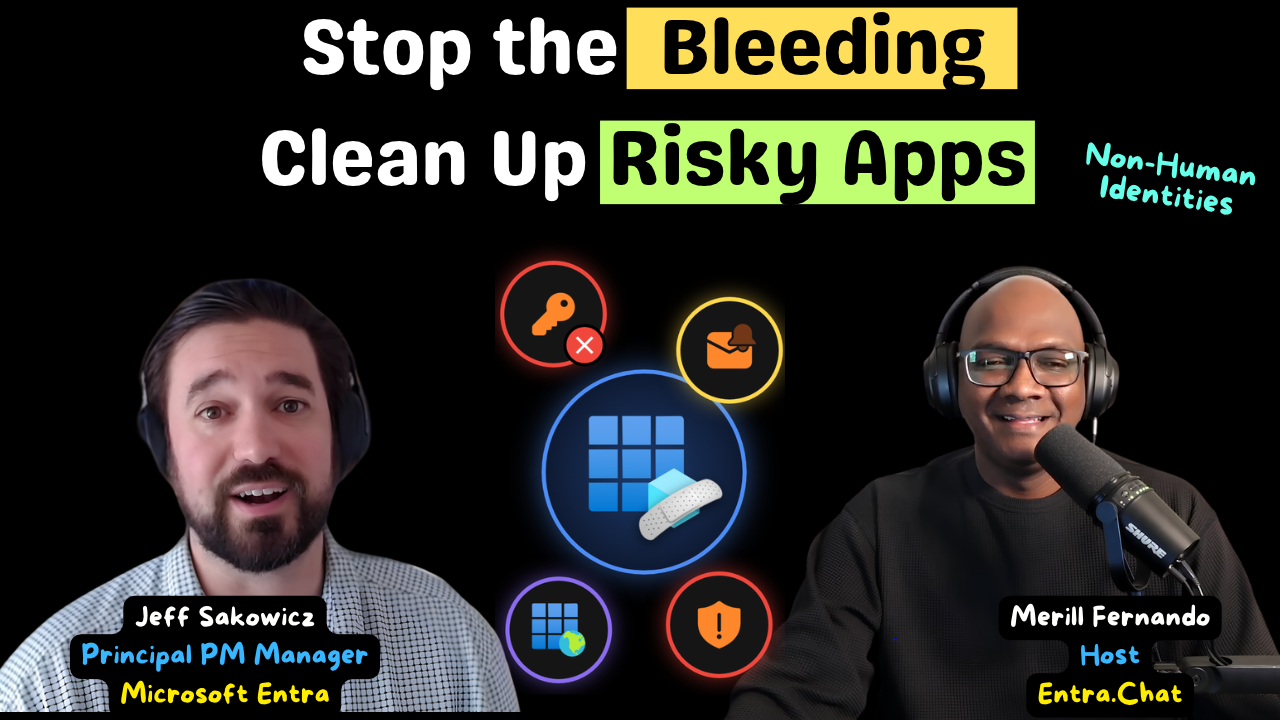
Stop the Bleeding: Cleaning Up Apps, Secrets and Consent in Microsoft Entra
Show notes
Most tenants have the same problem: hundreds of app registrations and service principals, client secrets that were set to expire in a hundred years, permission grants nobody remembers approving, and test tenants that were never cleaned up. It’s tempting to start fixing the scariest app on the list. Jeff Sakowicz argues for a different order: stop the problem from growing first, then remove the debt that gives you the most risk reduction for the least disruption.
Jeff isn’t describing someone else’s product. He has spent most of his 14 years at Microsoft as a product leader on the Entra application platform, shaping the application and service principal model and the OAuth permissions and consent model that every Entra tenant runs on today. Publisher verification and risk-based step-up consent came out of that work, and he now leads part of the team building the platform behind Microsoft Entra Agent ID. Inside Microsoft, he’s the person teams call when an app incident needs untangling. This is his playbook for securing non-human identities, from client secret burndown and unused apps to consent phishing and the protections Microsoft runs in every tenant by default.
Prevention starts with policy
The best medicine is prevention. Before you clean anything up, go through the policy controls you already have and set them to block insecure configuration that doesn’t fit your organization’s risk tolerance. This is a balance, not a switch. “If you want the most secure system in the world, unplug the server, bury it underground. Your job is done.” Lock things down too hard and developers and end users will find other ways to get work done, especially now that they have agents to help them. Shadow IT is almost always less secure than what you stopped. So whenever a control blocks self-service, make sure people know what to do next and how to get unblocked quickly.
Treat high-value apps as production infrastructure
Microsoft runs customer-facing apps in tenants separate from its corporate tenant. Tenant-level isolation is a useful form of segmentation, and some large organizations do the same for their production assets. But a second tenant brings its own operational overhead, and a tenant that falls into chaos can leave you worse off than before.
Whatever you decide, treat your multitenant apps and high-value line-of-business apps as production infrastructure, the same way you would protect a database or a high-value Azure subscription. A good middle ground is to keep a close eye on the owners and sponsors of your high-value apps and agent identities. They are the people who can change those identities’ authentication configuration, so their accounts need good hygiene.
The easier win is test, demo and staging. If they still live in your productivity or production tenant, move them out. Midnight Blizzard showed how small dominoes lead to big consequences: Microsoft’s own write-up describes a password spray against a legacy, non-production test tenant account, followed by a legacy test OAuth application that had elevated access to the corporate environment.
Sponsored by
Many of the app and consent problems in this episode are exactly what Maester checks for: it runs security tests against your Microsoft Entra and Microsoft 365 configuration and tells you what passed and what failed.
Maester Cloud turns those results into a workflow your team can run every day:
* Assign an owner to each finding and link it to a ticket, instead of tracking remediation in a spreadsheet.
* See what got fixed since the last run, and record accepted risks.
* Catch drift with daily history and alerts when a setting changes.
* Every tenant in one place, without switching sign-ins.
Subscribe with your favorite podcast player or watch on YouTube
Map your surface area, then think in three dimensions
Before buying a new inventory tool, use the one you already have. If your organization already tracks production assets or other identities, bring your non-human identities into that system instead of running a parallel process. Then answer three questions: how many of these do I have, what categories of identity are in the portfolio, and what are the big categories of risk?
Jeff looks at risk in three dimensions:
* Active threats. Priority zero. Hand them to the SOC immediately.
* Posture. Surface area from misconfiguration, or configuration that was state of the art five years ago, such as the implicit flow for a single-page app. Weak credentials, insecure redirect URIs, unused identities and legacy protocols all live here.
* Blast radius. How much privilege each identity has, whether it’s used or not.
Most organizations end up with a huge list of high-privilege apps and posture issues. You will never get every risk to zero at that scale, so the job is to prioritise by risk and by return on effort.
Burn down secrets: stop the bleeding first
Say you’ve read the Solorigate reports and want to get client secrets off your non-human identities. Step one is to stop the bleeding: create an app management policy that blocks new password credentials from being added. App management policies can take an enforcement date, so only apps created after that date are affected and your hundreds of existing apps keep working while you fix them. There is no equivalent for user authentication methods.
Before you switch it on, find out how disruptive it will be. One new app a month that uses a password credential is easy to absorb. A hundred a day could grind the organization to a halt. Have the guidance and the exception process ready, and move the enforcement date if you need to.
Once the problem has stopped growing, turn to the debt. Split it into categories and start with the two ends of the spectrum:
* The most privileged. Apps with existing passwords that have app-only access to read all mailboxes or read and write all user profiles go to the top of the list. Move them to a stronger credential and check whether they need that access at all.
* The wholly unused. More on this below.
The end goal is system-managed credentials, using a managed identity or workload identity federation with a federated identity credential (FIC). You can argue a certificate’s private key is harder to leak than a secret, but as Jeff says, “a bad copy-paste is a bad copy-paste.” System-managed credentials also remove a big source of toil for developers, which helps when you need people to move.
Why mail is the flag
Mail permissions can look less frightening than broad directory permissions, but for many attacks mail is the goal. “Mail’s often the flag that the attacker’s trying to capture.” Other access is often just a way to move laterally or elevate privilege. Mail, Teams chats and files can be the end goal, and that is what most historical consent phishing attacks went after. A mailbox is also a good lateral movement tool: it can hold credentials and bank details, and it gives an attacker what they need to craft a convincing social engineering attack against everyone the victim emails or chats with every day.
Lost secrets make this worse. A secret that is valid for years, used by apps nobody can name, gives an attacker a way in without adding a new credential, so there’s no new event for you to trace.
Unused identities: the highest return on effort
A wholly unused identity is the highest-ROI bucket. “If you get rid of an unused identity, you might be knocking an item off of seven lists.” In one move you can remove a weak password, an insecure redirect URI, overprivileged access and some legacy protocol usage. Do your due diligence first, because some apps only run once a year at tax season. But removing something that is truly unused doesn’t disrupt anyone, and it can be done as a central action by a single team without engaging every app owner. That high-leverage central action is what Microsoft leaned into for its Secure Future Initiative work.
Then look at low-usage identities. They hide in plain sight: an identity with an automated runner that wakes up every day to run a test suite won’t show up as unused, and may not be privileged enough to make your red list. Look closely and you find the same two token requests every day for months, with no person or agent relying on them. Microsoft Entra recommendations already flag unused applications and unused credentials.
Consent phishing and your consent policy
A small set of controls drastically reduces the chance of a compromise through consent phishing, and the first is a consent policy. Microsoft has revised the defaults several times over the last few years and they are now in a good state, but check yours and tune it for your organization.
Older tenants deserve a second look in both directions. Many organizations turned user consent fully off around 2019, when consent phishing surged and the setting was just on or off. The modern consent policy framework now offers far more granular options, so you can enable the self-service your business needs without opening a hole. Note that changing your consent settings only affects future consent; existing grants stay in place.
The protections you don’t see
Publisher verification is more than a blue checkmark. Microsoft uses it as a signal in several places. By default, multitenant apps registered after November 8, 2020 that don’t have a verified publisher can’t get user consent from other tenants unless they only ask for basic sign-in and profile permissions.
Risk-based step-up consent is another. It’s on by default in every tenant, and when a user consent request looks risky it requires an admin instead, even when the user would normally be allowed to consent. Microsoft built it this way because once a user takes the lure and lands on a consent screen, “the click-through rate on the actual consent prompt was very, very high.” The best defence is to stop them getting there. Microsoft also detects and takes down campaigns that use malicious apps.
Before you grant consent: a checklist
Step-up consent sends more requests to admins, and admins are confused by consent screens too. A short list of scary permissions can look safer than a long list of granular ones. Jeff’s checklist:
* Sanity check. What is this, why am I being asked, and does it make sense for the business? Many attacks are illogical when you stop to think: you weren’t actually trying to redeem an Uber gift card.
* Check the publisher. From outside the organization, does it have a verified publisher? From inside, who built it, and do you trust them to maintain a well-secured identity?
* Read the permissions, not the length. Directory.ReadWrite.All can cover what 15 or 20 granular permissions do. A longer list isn’t necessarily worse.
* Weigh business value against risk. Access the app doesn’t need, or access whose value doesn’t justify the risk, adds surface area and blast radius. That is the harder conversation, and the important one.
Three places to start
Find out which capabilities your licences give you, because some useful tools are in Microsoft Defender and not every organization has them. Then start on the policy side: stop the problem from getting bigger, turn on right away anything that won’t disrupt existing productivity, and put the disruptive controls in your plan. In parallel, use Microsoft Entra recommendations, Defender, ID Protection and ID Governance to work through the existing debt, starting with the highest-risk and highest-ROI items you can fix with a small set of central actions.
If you want SKU-light places to start, Jeff names three: consent policies, app management policies and Microsoft Entra recommendations (some recommendations have licence requirements).
The same lessons apply to agents
Agent identities follow the same pattern. Microsoft built protections into the core Agent ID model to reduce or remove some of these risks, but some development-friendly options are fine in development and risky in production. Privilege reduction and the rest of this playbook apply to agents just as they do to service principals, so get ahead of your agent portfolio now and manage your whole non-human identity fleet together.
About Jeff Sakowicz
Jeff Sakowicz is a Principal PM Manager on Microsoft Entra, where he leads part of the application platform team: the control plane for non-human identities, including the core data model, APIs and experiences for apps, service principals and Microsoft Entra Agent ID, and how they are configured securely.
In 14 years at Microsoft he has helped build much of the identity platform admins use every day. He started in identity support, moved into program management on the core directory team (including a stint as PM for DirSync), worked on Azure AD Graph and Microsoft Graph, and then spent most of his career leading product work on the application and service principal model and the OAuth permissions and consent model, including publisher verification and risk-based step-up consent.
LinkedIn - https://www.linkedin.com/in/jeffsakowicz/
Related Links
Jeff’s recommended reading (mentioned at 46:03):
* Protect against consent phishing - https://learn.microsoft.com/en-us/entra/identity/enterprise-apps/protect-against-consent-phishing
* Configure how users consent to applications - https://learn.microsoft.com/en-us/entra/identity/enterprise-apps/configure-user-consent?pivots=portal
* Configure app management policies (restrictions on how applications can be configured) - https://learn.microsoft.com/en-us/entra/identity/enterprise-apps/configure-app-management-policies?tabs=portal
* Security best practices for application properties - https://learn.microsoft.com/en-us/entra/identity-platform/security-best-practices-for-app-registration
* What are Microsoft Entra recommendations? - https://learn.microsoft.com/en-us/entra/identity/monitoring-health/overview-recommendations
* Overview of Microsoft Defender for Cloud Apps (mentioned at 47:19) - https://learn.microsoft.com/en-us/defender-cloud-apps/what-is-defender-for-cloud-apps
* Non-human identities in Microsoft Defender (Preview; excludes managed identities and Microsoft first-party apps) - https://learn.microsoft.com/en-us/defender-xdr/investigate-non-human-identities
* Incident response playbooks - https://learn.microsoft.com/en-us/security/operations/incident-response-playbooks
More from the episode:
* Recommendation to remove unused applications (mentioned at 45:29) - https://learn.microsoft.com/en-us/entra/identity/monitoring-health/recommendation-remove-unused-apps
* Recommendation to remove unused credentials from applications (mentioned at 45:29) - https://learn.microsoft.com/en-us/entra/identity/monitoring-health/recommendation-remove-unused-credential-from-apps
* What are workload identities? (mentioned at 28:30) - https://learn.microsoft.com/en-us/entra/workload-id/workload-identities-overview
* Workload identity federation (mentioned at 28:30) - https://learn.microsoft.com/en-us/entra/workload-id/workload-identity-federation
* Publisher verification (mentioned at 33:58) - https://learn.microsoft.com/en-us/entra/identity-platform/publisher-verification-overview
* Configure risk-based step-up consent (mentioned at 35:36) - https://learn.microsoft.com/en-us/entra/identity/enterprise-apps/configure-risk-based-step-up-consent
* Overview of permissions and consent in the Microsoft identity platform (mentioned at 41:34) - https://learn.microsoft.com/en-us/entra/identity-platform/permissions-consent-overview
* Configure the admin consent workflow (does not clean up existing grants) - https://learn.microsoft.com/en-us/entra/identity/enterprise-apps/configure-admin-consent-workflow
* Review permissions granted to enterprise applications - https://learn.microsoft.com/en-us/entra/identity/enterprise-apps/manage-application-permissions
* Get started with app governance in Defender for Cloud Apps (mentioned at 47:19) - https://learn.microsoft.com/en-us/defender-cloud-apps/app-governance-trial-user-guide
* Microsoft actions following attack by nation state actor Midnight Blizzard (mentioned at 42:59) - https://www.microsoft.com/en-us/msrc/blog/2024/01/microsoft-actions-following-attack-by-nation-state-actor-midnight-blizzard
* Midnight Blizzard: guidance for responders on nation-state attack (mentioned at 42:59) - https://www.microsoft.com/en-us/security/blog/2024/01/25/midnight-blizzard-guidance-for-responders-on-nation-state-attack/
* Secure Future Initiative: September 2024 progress update (mentioned at 26:11) - https://www.microsoft.com/en-us/security/blog/2024/09/23/securing-our-future-september-2024-progress-update-on-microsofts-secure-future-initiative-sfi/
* Best practices for Microsoft Entra Agent ID (mentioned at 49:03) - https://learn.microsoft.com/en-us/entra/agent-id/best-practices-agent-id
Related Entra.Chat Episodes
* The Ultimate Guide to App Consent in Microsoft Entra (mentioned at 29:58) - https://entra.news/p/the-ultimate-guide-to-app-consent
* Inside Microsoft’s Entra Tenant: The Internal App Governance Playbook - https://entra.news/p/inside-microsofts-entra-tenant-the
* The Hidden Risks of Non-Human Identities in Your Tenant - https://entra.news/p/the-hidden-risks-of-non-human-identities
Chapters
01:05 Intro
01:23 Meet Jeff Sakowicz
05:04 Prevention starts with policy
07:31 Should your apps get their own tenant?
11:50 Where do you even start?
16:05 Burn down secrets: stop the bleeding
19:47 Why mailboxes are the prize
23:18 Unused identities: the highest ROI
26:33 What actually gets orgs moving
29:16 Consent phishing and your consent policy
33:23 The protections you don’t see
38:13 Before you grant consent: a checklist
43:00 Midnight Blizzard and forgotten tenants
44:08 Low-usage identities in plain sight
45:28 Three places to start
49:03 Agents are next
Podcast Apps
Entra.Chat - https://entra.chat
Apple Podcast - https://entra.chat/apple
YouTube - https://entra.chat/youtube
Spotify - https://entra.chat/spotify
Overcast - https://entra.chat/overcast
Pocketcast - https://entra.chat/pocketcast
Others - https://entra.chat/rss
Merill’s socials
YouTube - youtube.com/@merillx
LinkedIn - linkedin.com/in/merill
Twitter - twitter.com/merill
TikTok - tiktok.com/@merillf
Bluesky - bsky.app/profile/merill.net
Mastodon - infosec.exchange/@merill
Threads - threads.net/@merillf
GitHub - github.com/merill
Get full access to Entra.News - Your weekly dose of Microsoft Entra at entra.news/subscribe